mcgmarauders
NoVAGO feature article writerTrevor has over 12,000 geocache finds from all around the globe. He also owns more than 140 hides, mostly in the Northern Virginia area. His favorite virtual find is the Lion Gate in Mycenae, Greece (pictured) “There was very little shade and it was 107 deg F, but the Lion Gate, erected in 1250 BC, was most definitely my favorite.”

Do you enjoy Challenges caches as much as we do?! Would you like to locate these easily and determine if you already qualify?
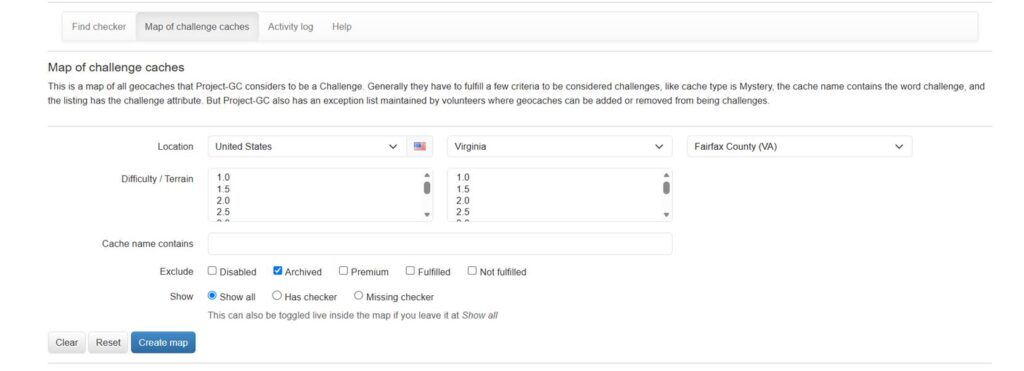
One easy-to-use tool is contained in Project-GC (https://project-gc.com/), if you have a paid membership*. On the opening page, tap on “Tools” in the top row, then find “Challenges” in the middle row of the dropdown menu, then tap on “Map of challenge caches”.
The screenshot below shows filters for Fairfax County, VA but this can be set up for any location throughout the world.
The icons are small on the map created, but look closely for those with a green checkmark as you are already qualified for that challenge! If there is red no-entry sign, then you don’t yet qualify. If there is a yellow smiley face, then you already logged it as found. If there is a small pencil, then you have written a personal cache note for that location.
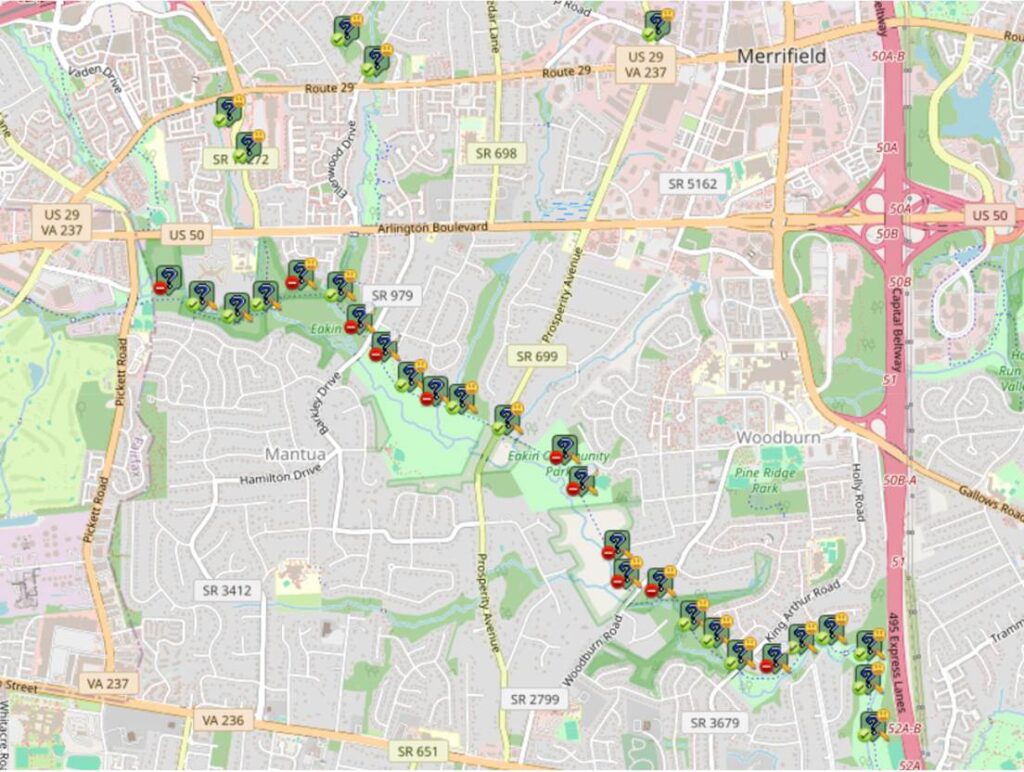
It is suggests that you make a “List” in your geocaching page for all Challenge caches where you have signed the log but don’t yet qualify.
Happy hunting!
*Project-GC has membership options from 3 months ($14) to 5 years ($95) and includes many other features.
This is so much easier that opening each cache page and running the checker one at a time. It might be worth opening the “do not qualify” pages up anyways and running the checker. A well written checker doesn’t just tell you that you don’t qualify, but instead will tell you how close you are to getting that check mark.
Good point Heather! I forgot to mention in the article that if you click on the icon on the map, it provides a link to the cache page.
Did you know that Project-GC also keeps track of the challenges that you have done a “write note” for? it will track if you qualify, too.
Under “Profile >> Signed Challenges”
It lists the date you did your write note, too. 🙂